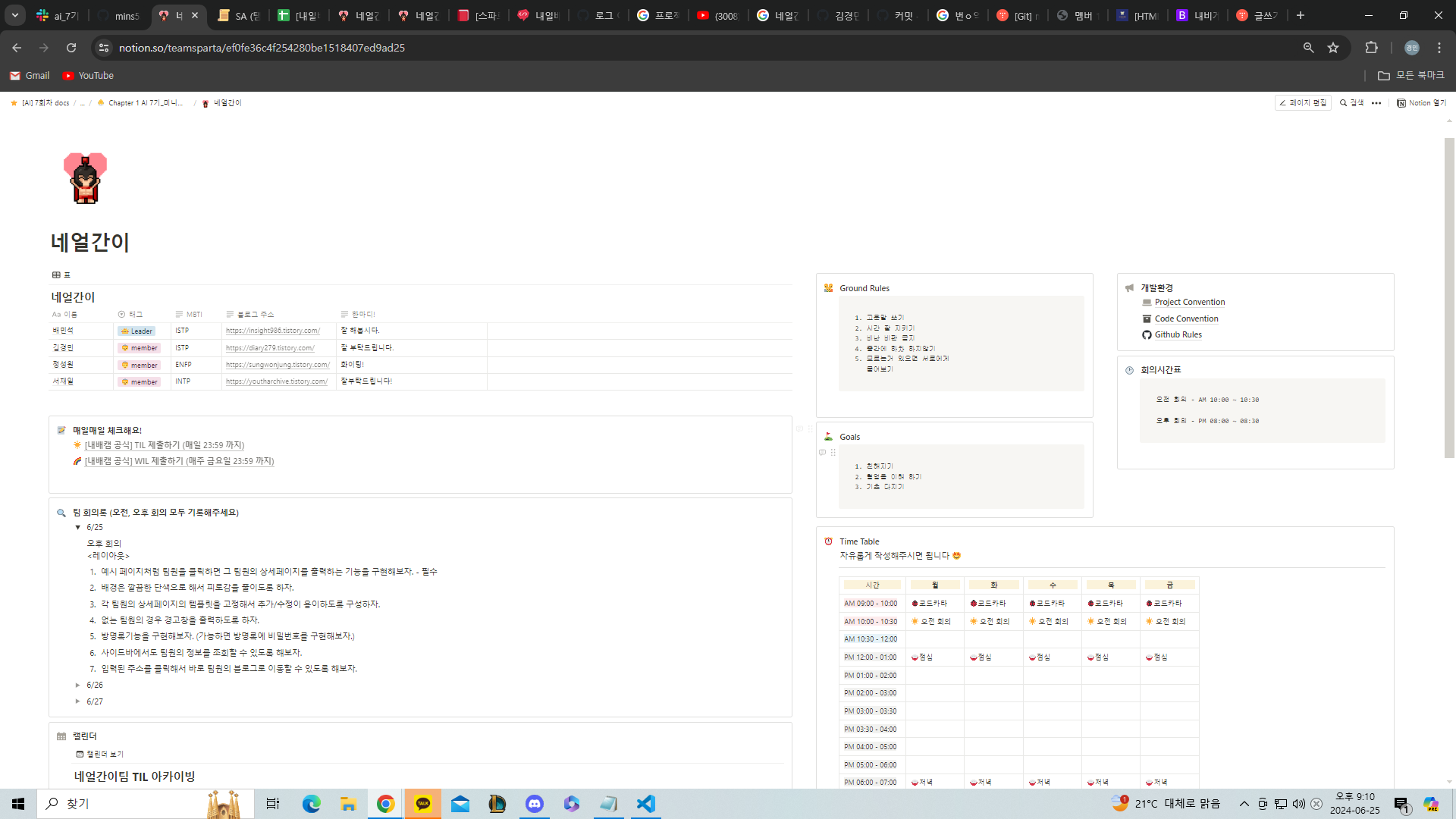
오늘은 AI 멤버들 3명과 같이 자기소개를 하는 블로그를 만들어봤다.
팀명 : 네얼간이
우리 팀의 목표는 1. 친해지기 2. 협업을 이해 하기 3. 기초 다지기 이 3개를 목표를 삼고 진행하였다.
그리고 팀이 결성된 후 첫 회의에서 아래 6가지를 프로젝트를 진행할때 도전하거나 포함시키도록 회의를 진행하였다.
오후 회의 <레이아웃>
예시 페이지처럼 팀원을 클릭하면 그 팀원의 상세페이지를 출력하는 기능을 구현해보자. - 필수
배경은 깔끔한 단색으로 해서 피로감을 줄이도록 하자.
각 팀원의 상세페이지의 템플릿을 고정해서 추가/수정이 용이하도록 구성하자.
없는 팀원의 경우 경고창을 출력하도록 하자.
방명록기능을 구현해보자. (가능하면 방명록에 비밀번호를 구현해보자.)
사이드바에서도 팀원의 정보를 조회할 수 있도록 해보자.
입력된 주소를 클릭해서 바로 팀원의 블로그로 이동할 수 있도록 해보자.
그리고 진행한
git hub 강의
git 명령어 모음
등 중요한 명령어 등과 함께 약 1시간 30분동안 수업을 진행하였다.
네얼간이 github 사이트
git config --global user.email " you@example.com " -----> 해결방법 git config --global user.email "내이메일"
git config --global user.name "Your Name" -----> git config --global user.name "내 github 이름"
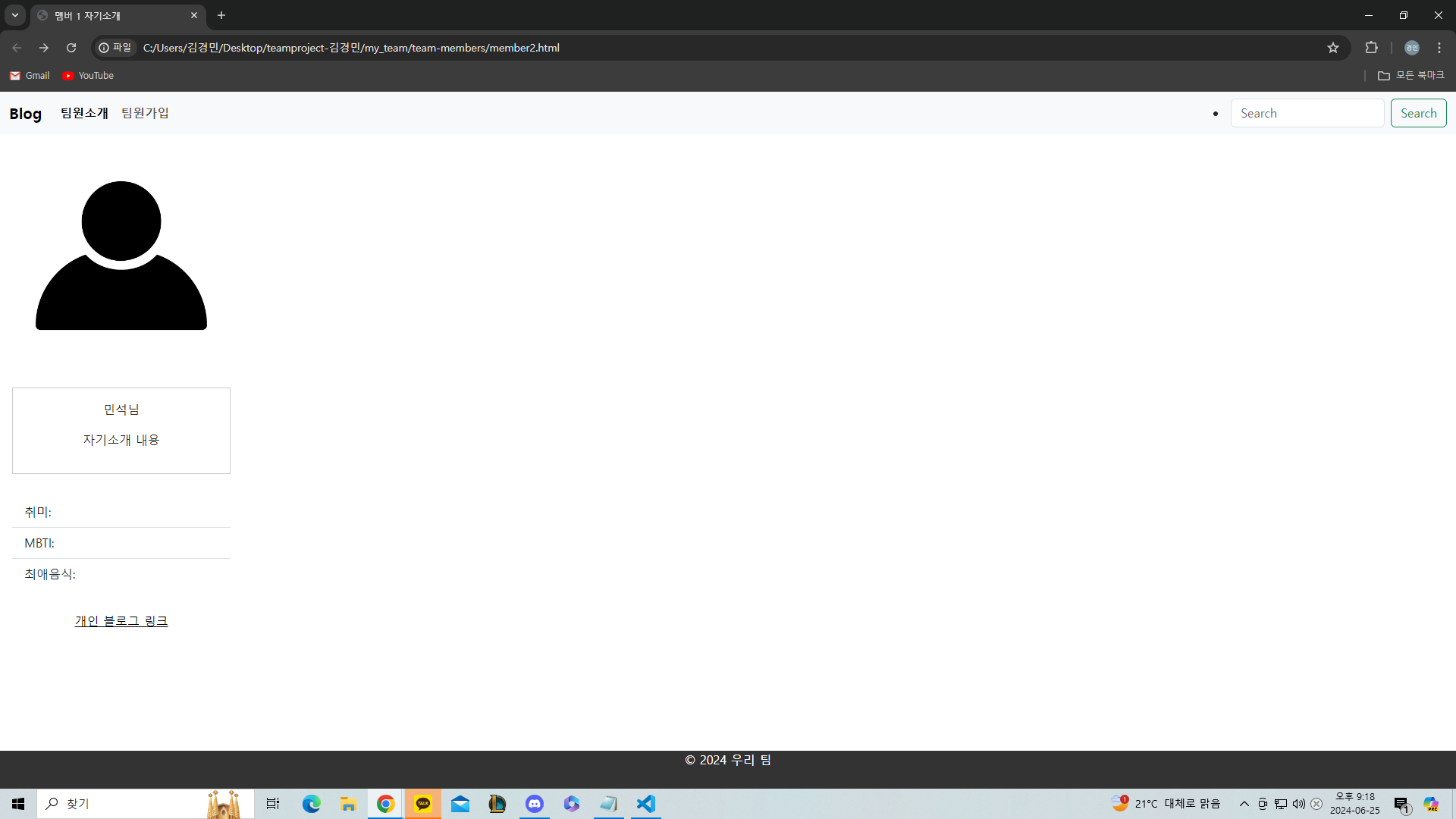
오늘만든 내가 만든 과제물 코드
htiml
<! DOCTYPE html >
< html lang = "en" >
< head >
< meta charset = "UTF-8" >
< meta name = "viewport" content = "width=device-width, initial-scale=1.0" >
< title > 멤버 1 자기소개 </ title >
< link rel = "stylesheet" href = "../style.css" >
integrity = "sha384-QWTKZyjpPEjISv5WaRU9OFeRpok6YctnYmDr5pNlyT2bRjXh0JMhjY6hW+ALEwIH" crossorigin = "anonymous" >
</ head >
< body >
< nav class = "navbar navbar-expand-lg bg-body-tertiary" >
< div class = "container-fluid" >
< a class = "navbar-brand" href = "#" > Blog </ a >
< button class = "navbar-toggler" type = "button" data-bs-toggle = "collapse"
data-bs-target = "#navbarSupportedContent" aria-controls = "navbarSupportedContent" aria-expanded = "false"
aria-label = "Toggle navigation" >
< span class = "navbar-toggler-icon" ></ span >
</ button >
< div class = "collapse navbar-collapse" id = "navbarSupportedContent" >
< ul class = "navbar-nav me-auto mb-2 mb-lg-0" >
< li class = "nav-item" >
< a class = "nav-link active" aria-current = "page" href = "#" > 팀원소개 </ a >
</ li >
< li class = "nav-item" >
< a class = "nav-link" href = "" > 팀원가입 </ a >
</ li >
</ ul >
</ li >
< li class = "nav-item" >
</ li >
</ ul >
< form class = "d-flex" role = "search" >
< input class = "form-control me-2" type = "search" placeholder = "Search" aria-label = "Search" >
< button class = "btn btn-outline-success" type = "submit" > Search </ button >
</ form >
</ div >
</ div >
</ nav >
< main >
<!-- 민석님 카드 -->
< div class = "team-members" style = " width: 18rem;" >
< div class = "member" >
< p class = "card-text" > 민석님 </ p >
< p > 자기소개 내용 </ p >
< section class = "member-info" >
< h2 > 자기소개 </ h2 >
< p > 멤버 2의 경력, 학력, 기술 스택 등 자기소개 내용을 작성합니다! </ p >
</ section >
< section class = "projects" >
< h2 > 프로젝트 </ h2 >
< div class = "project" >
< h3 > 프로젝트 제목 </ h3 >
< p > 프로젝트에 대한 간략한 설명 </ p >
</ div >
< ul class = "list-group list-group-flush" >
< li class = "list-group-item" > 취미: </ li >
< li class = "list-group-item" > MBTI: </ li >
< li class = "list-group-item" > 최애음식: </ li >
</ ul >
< div class = "mamber" >
</ a >
</ div >
</ div >
</ div >
<!-- 다른 팀원들도 동일한 방식으로 추가 -->
</ section >
<!-- 사이드바 -->
< ul class = "nav flex-column" >
< li class = "nav-items" >
< a class = "nav-link active" aria-current = "page" href = "#" > Active </ a >
</ li >
< li class = "nav-items" >
< a class = "nav-link" href = "#" > Link </ a >
</ li >
< li class = "nav-items" >
< a class = "nav-link" href = "#" > Link </ a >
</ li >
< li class = "nav-items" >
< a class = "nav-link disabled" aria-disabled = "true" > Disabled </ a >
</ li >
</ ul >
</ main >
< footer >
< p > © 2024 우리 팀 </ p >
</ footer >
</ body >
</ html >
css
/* 전체 body 스타일 */
body {
font-family : Arial , sans-serif ;
line-height : 1.6 ;
margin : 0 ;
padding : 0 ;
}
.navbar {
display : flex ;
font-weight : bold ;
}
.nav-link {
color : black ;
font-weight : bold ;
}
.d-flex {
display : flex ;
justify-content : center ;
}
.nav-items {
display : flex ;
align-items : flex-end ;
}
/* header 스타일 */
header {
background-color : #333 ;
color : #fff ;
text-align : center ;
padding : 1em ;
}
/* main 요소 스타일 */
main {
padding : 1em ;
display : flex ;
align-items : center ;
}
/* 팀원 목록 스타일 */
.team-members {
display : grid ;
grid-template-columns : repeat ( auto-fit , minmax ( 200px , 2fr ));
gap : 30px ;
}
/* 각 팀원 카드 스타일 */
.member {
border : 1px solid #ccc ;
padding : 1em ;
text-align : center ;
}
.member img {
max-width : 100% ;
border-radius : 50% ;
}
.mamber {
display : flex ;
justify-content : center
}
/* footer 스타일 */
footer {
text-align : center ;
padding-bottom : 10px ;
background-color : #333 ;
color : #fff ;
position : fixed ;
bottom : 0 ;
width : 100% ;
}
내일 해야할일 : 프로젝트 완성 및 보완